The log-out shuffle
Slack, Discord and Notion want one account at a time. So you sign out, sign in, find your phone for the code, and do it again an hour later.
For Mac · v1.0.0 · 3-day free trial
Dua Mac turns the apps you already have into separate copies, each with its own login, notifications and Dock icon. Made for freelancers, community managers and developers who live in more than one account.
· then $19 once, no subscription
Clone the desktop apps you already use
Sound familiar?
Slack, Discord and Notion want one account at a time. So you sign out, sign in, find your phone for the code, and do it again an hour later.
Account #2 lives in a tab you'll lose among twenty others. No Dock badge, unreliable notifications, no native shortcuts.
open -n starts a second process, but it shares the same data. You get the same account twice, and you type it every time.
Developers and testers end up switching macOS users or running a virtual machine just to keep one profile clean. Heavy, slow, and you can't see both at once.
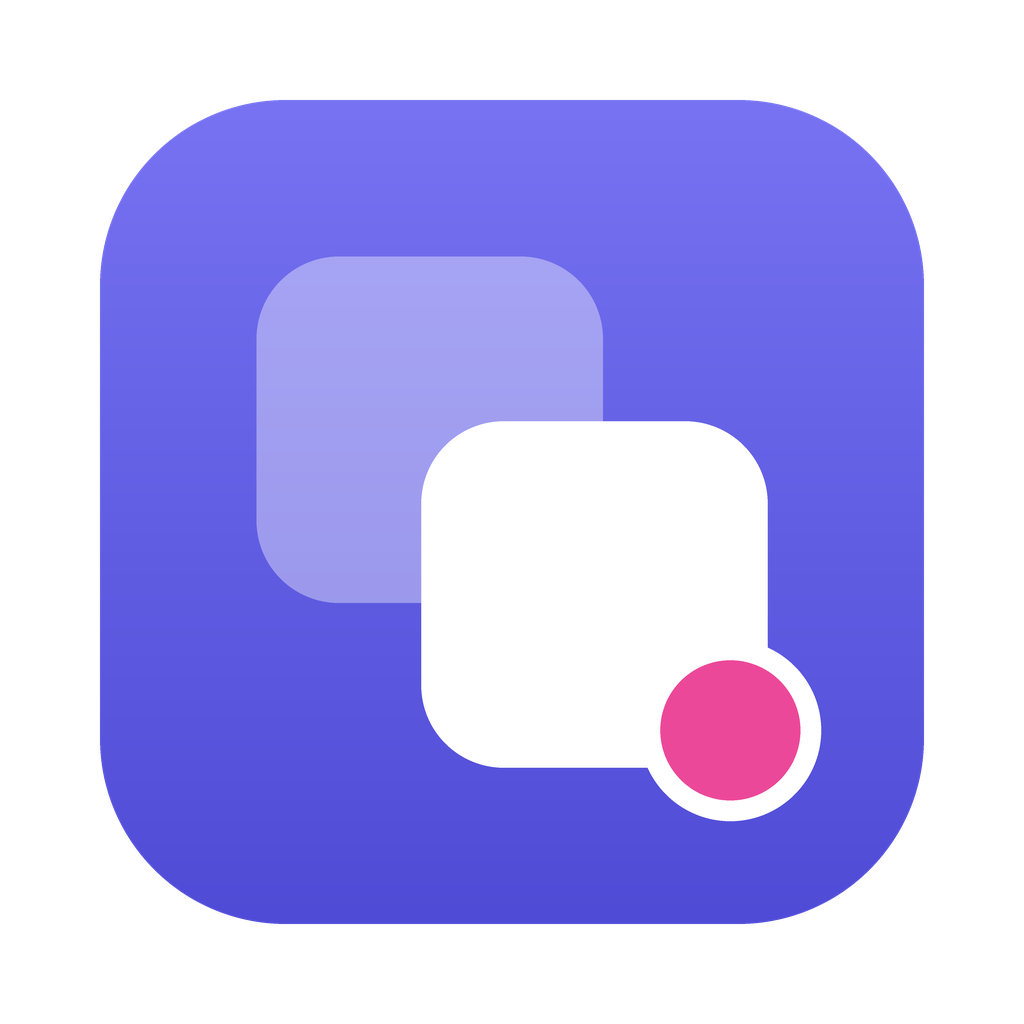
Dua Mac fixes all four with a real second app: its own login, its own data, its own notifications, open next to the first.
See it work
 Dua Mac
⌕ Search clones
+ New clone
⚙
Dua Mac
⌕ Search clones
+ New clone
⚙
Electron & Chromium
Firefox
First launch may ask for your keychain password once.
Who it's for
Compared
| Dua Mac | Browser tab | open -n in Terminal | Second Mac user or VM | |
|---|---|---|---|---|
| Separate login per account | shares data | |||
| Both accounts visible at once | switch users | |||
| Native notifications & Dock badge | inactive user | |||
| Own name & icon per account | ||||
| Keeps desktop-app features | web version | |||
| Setup | 3 clicks, once | Easy | A command, every time | Hours and GBs |
Under the hood
Each clone is a proper .app with its own bundle ID, so macOS treats it as a separate app: its own Dock icon, its own windows, its own notifications.
Your login lives in a separate data folder, outside the app. Refresh or rebuild a clone and you stay signed in.
Details
Every clone gets a tinted icon and a badge. Pick from nine colours.
Clones share disk blocks with the original, so a 500 MB app costs almost nothing.
Original app updated? Hit Refresh. The clone rebuilds and keeps your login.
Start and stop clones from the menu bar without opening the window.
No account, no server, no tracking. It's all local shell work and plists. The only request is an optional daily version check.
Signed into the wrong account? Reset the session and start fresh, without touching the other clones.
Compatibility
--user-data-dirSlack, Discord, Notion, Figma, VS Code, Postman, Signal, Obsidian, Chrome, Brave, Edge.
Full support-profileFirefox, Developer Edition, Zen and other Gecko browsers.
Full supportCFFIXED_USER_HOMETelegram, WhatsApp and other native apps that keep data in your home folder. Results vary by app.
BetaApps installed from the Mac App Store are sealed by Apple and can't be cloned. Install the version from the developer's website instead; Dua Mac tells you which is which.
Worth it?
Estimate, based on 22 workdays a month.
$19
Less than one month of most subscriptions. Yours for good.
No card. No account. When the trial ends, clones pause until you buy. Your logins stay on disk.
No. Clones are separate copies in ~/Applications/Dua Mac. The original app and its data are never touched.
open -n?No. open -n starts a second process of the same app with the same data, so you get the same account twice. A Dua Mac clone is a separate app with its own data folder, so it has its own login.
Apple's sandbox doesn't allow an app to copy and re-sign other apps, so Dua Mac is sold directly. That's also why it can't clone App Store apps: install those from the developer's site instead.
Open System Settings → Privacy & Security and click "Open Anyway" once. Dua Mac runs entirely on your Mac: no account, no server, no tracking.
In its own folder under Dua Mac's Application Support directory, outside the app. That's why refreshing a clone keeps you signed in.
The clone shows "Needs attention". Hit Refresh and Dua Mac rebuilds it from the new version, login intact.
Apps like Slack keep an encryption key in the keychain. To macOS the clone is a new app, so it asks once. Mic, camera and screen permissions are also asked per clone.
Email support@example.com. A human reads it.